

Work order: what it is, how to create one and a free template to download
Every company that sends technicians out into the field lives the same scene: the job got done, but nobody knows exactly what was replaced, how much it came to, whether the customer agreed or whether the part made it onto the bill. The work order solves this. It is the document that states, in black and white, what was agreed, what was carried out, how much it cost and who approved it. Without it, you work in the dark, forget to bill, and lose arguments with customers.
This guide is for owners and managers of service companies (whatever the trade: air conditioning, electrical, solar energy, internet, CCTV, pest control, elevators, cleaning). You will understand what a work order is, what it needs to contain, how to build yours step by step, see examples by type of service and download a free work order template (in Google Sheets and in Excel) so you can start today. Plain language, no legalese.

What is a work order?
A work order (often shortened to "WO") is the document that records a job from start to finish. It authorizes the service, describes what will be done (or was done), lists the materials used, shows the amounts and captures the signature of whoever carried it out and whoever received it. In one sentence: the work order is the proof that the job happened and of what was agreed.
Think of it as the "report card" for each visit. The quote is the promise (what it will cost), and the work order is the record of what actually happened. Each work order gets a number, is stored, and together they become the customer's history and the heart of the company's operation.
What is a work order for (and why every company needs one)?
It is not paperwork for the sake of paperwork. The work order solves four problems that hit any service provider's bottom line:
- Control. You know how many jobs each technician did, which are open, which are already finished and what is still left to bill. Without work orders, the owner is a hostage to the team's memory.
- Proof. An argument with the customer ("that's not what we agreed", "I never authorized that part")? A signed work order is your defense. It shows what was agreed and what was delivered.
- Organization and history. Next time you go back to that customer, you open the history and see what has already been done, which part went in, what the warranty is. Faster and more professional service.
- Billing. Every completed work order is a receivable. When the document records labor, materials and amounts, it is easy to invoice on the spot and hard to forget to bill. A job with no work order is a job that disappears.
Small business support guides agree that formalizing the service and recording each request (with deadlines, who is responsible and what is to be delivered) is the foundation for controlling any kind of service provision. The work order is exactly that record in the company's day to day.
What does every work order need to have? (the essential fields)
This is the number one question for anyone building their first work order: "what do I put on it?". There is a set of fields that cannot be missing, because they are what turn a loose sheet of paper into a document that actually serves to control, prove and bill. The table below lists each one and why it matters.
| Field | What it is | Why it cannot be missing |
|---|---|---|
| Work order number and date | A unique number (1, 2, 3...) and the opening date. | It is the document's identity. Without a number, you cannot locate it, organize it or pull up the history later. |
| Your company details | Name, tax ID, phone, logo. | It makes the document professional and identifies who provided the service. Important for warranty and for billing. |
| Customer details | Name, contact, service address. | It says who the service belongs to and where it was done. The basis of the customer record and the history. |
| Description of the problem / request | What the customer asked for or the fault reported. | It records the expectation. It avoids the classic "but I called you for something else". |
| Service performed | What was actually done during the visit. | It is the proof of the work. The clearer it is, the less argument afterwards. |
| Checklist / items verified | List of points checked (measurements, tests, readings). | It standardizes quality and proves the technician did everything, not just "took a quick look". |
| Materials and parts | What was used, with quantity and price. | Without this, a part becomes a loss. It is what separates what you spent from what you will bill. |
| Labor and amounts | The price of the service, of the materials and the total. | It is the basis for invoicing. The total has to be clear so you can bill without friction. |
| Technician responsible | Who performed the service. | It assigns responsibility and helps measure each person's productivity. |
| Before and after photos | Images of the equipment, the site or the fault. | Worth a thousand words in an argument. It proves the state you found it in and the state you left it in. |
| Customer signature | Confirmation from whoever received the service. | It is the closing. The signature turns the work order into a formal acceptance of the service provided. |
You do not need all of them on every work order, but the more fields you fill in, the stronger the document becomes. The rule is simple: if a field protects you in an argument or helps you bill, it deserves to be on your work order.
The anatomy of a good work order
Visually, a well-built work order breaks down into blocks, from top to bottom. Look at the diagram below: it shows the natural order in which the information appears, from the header to the signature. This is the skeleton of the template you will download further on.
How to create a work order step by step
Building your work order is simpler than it looks. Follow these steps and you will end up with a reusable template for the whole team.
1. Start with the header and the number
Add your company name and logo, the tax ID, the contact and, above all, a work order number. It can be sequential (0001, 0002...). This number is what will let you find the order later and never repeat one. Add the opening date.
2. Identify the customer and the location
Name, phone and service address. If it is a company, the name of the contact who will follow the job. This block feeds your customer database and the history of each one.
3. Describe what was requested and what was done
Split it into two fields: the reported problem (what the customer said) and the service performed (what the technician actually did). This split avoids 90% of arguments. Write clearly, no shorthand that only the technician understands.
4. List materials and parts with a price
Each item used, with quantity and price. This is where many companies lose money: a part that was not written down is a part that left the stockroom and was never billed. Add it all up.
5. Close out the amounts and the total
Labor cost, sum of the materials and the total. Make the total stand out. It is the number the customer will look at and the one that becomes your receivable.
6. Collect the signatures
The technician signs (responsibility) and the customer signs (acceptance). The customer's signature is the "agreed" that closes the work order. Without it, the document loses weight in any eventual dispute.
Golden tip: standardize. Create ONE work order template and use it on every job. When each technician invents their own sheet, you lose control. A single template means an aligned team and a customer who always sees the same professional standard.
Download the free work order template
So you do not have to start from scratch, we prepared a ready-made, editable work order template. It already comes with all the essential fields we saw above, plus a checklist by type of service (maintenance and installation) and a "how to use" tab. The total calculates itself: you type in the materials and the labor, and the spreadsheet adds it up. It works both for a single technician and for a whole team.
Dominex work order template (free)
Editable, with a checklist by type of service and an automatic total. Choose the format you prefer to use:
Execution checklist: why standardize (and examples)
The checklist is the part of the work order that guarantees the quality of the service. Instead of relying on the technician's memory, you list the points that ALWAYS need to be verified. The result: standardized service, less rework and proof that everything was checked. Two examples by type of service:
| Preventive maintenance | Installation |
|---|---|
| Cleaning of components | Check of the material received |
| Measurement / operating readings | Correct positioning and mounting |
| Check for leaks / play | Connections tested |
| Tightening of connections | Full operating test |
| Final test and recording of measurements | Usage guidance for the customer |
Each trade adapts the checklist to its own reality, but the logic is the same: turn "I did the usual" into an objective list that any technician follows the same way. That is what separates the amateur company from the company that scales.
Work order on paper vs digital work order
You can do work orders on paper, in Word, in Excel or in an app on your phone. It works, sure. But each format has a hidden cost. Here is the honest comparison:
| Criterion | Work order on paper / notepad | Digital work order (app on the phone) |
|---|---|---|
| Upfront cost | Low (just the notepad) | Monthly subscription |
| Illegible handwriting / missing copy | Happens all the time | Never, everything is typed |
| Before and after photo | None | Taken on the spot, attached to the order |
| Customer signature | On paper, then it goes missing | On the phone screen, stored |
| Reaching the office | When the technician gets back (or forgets) | Right away, the manager already sees it |
| Customer history | Search through a folder / drawer | Search in seconds |
| Turning into a bill | Retype everything again | The finished order already becomes the bill |
The spreadsheet you downloaded here is already a huge leap over paper. But when the company grows and has several technicians in the field, the bottleneck stops being the document and becomes the flow: the work order filled in out in the field that takes ages to reach the office, the photo that stayed on the technician's phone, the signature that went missing. That is where the digital work order changes the game.
The work order on the technician's phone
This is exactly the flow that Dominex's digital work order solves. The app installs on the technician's phone (no need to download anything from the store) and puts the work order in the pocket of whoever is on the job. In practice:
- The manager creates the work order at the office and it shows up on the technician's phone.
- On site, the technician fills in the service, ticks the checklist and enters the materials.
- Takes a before and after photo straight onto the order.
- The customer signs on the screen of the phone, and the acceptance is stored.
- The total calculates itself and the finished work order is already ready to become a bill.
All in one place, with each customer's history a tap away. And since Dominex serves several segments, the system adapts to your trade: there is a version for refrigeration and air conditioning companies, for electricians, solar energy, CCTV and security, internet providers, pest control and more. Anyone working with recurring maintenance contracts also gets the maintenance plans and contracts module.
Stop losing work orders on paper
Work order on the technician's phone: photo, checklist, signature and billing all in one place. Free 14-day trial, no card required.
Start free trialWork order examples by segment
The structure of the work order is the same for everyone, but the content changes with the trade. Here is how each segment uses the same fields:
| Segment | Service performed (example) | Typical checklist | Common materials |
|---|---|---|---|
| Air conditioning | Cleaning and refrigerant recharge of a split unit | Pressures, leaks, drain, filter | Refrigerant, filter, cleaning product |
| Electrical | Breaker replacement and panel review | Voltage, grounding, terminal tightening | Breaker, cable, tape |
| Solar energy | Inverter maintenance and panel cleaning | Generation, connections, strings | MC4 connector, cleaning product |
| Internet provider | Access point installation and configuration | Signal, speed, mounting | Cable, router, connector |
| CCTV / security | Camera and DVR installation | Image, recording, remote access | Camera, cable, power supply |
| Pest control | Pest control application | Treated points, product, dosage | Chemical product, bait |
Notice: the "what was done", the checklist and the parts change, but the blocks of the work order stay identical. That is why a good work order template serves any field company, you just adapt the content.
Common work order mistakes that cost you dearly
These are the slip-ups that show up most and turn into a direct loss:
- Not numbering the work order. Without a number, you cannot find the document later and cannot organize it. Always number it.
- Forgetting to write down materials. A part that left the stockroom and did not go onto the work order is a part you paid for and did not bill. Enter everything on the spot.
- Vague description. "Service done" proves nothing. Describe what was actually done.
- Not collecting the signature. Without the customer's acceptance, the work order loses weight in any dispute.
- Not taking a photo. In a warranty claim or a dispute, the before and after photo is the proof that decides it.
- Each technician with their own template. A different standard on every job means chaos at the office. Use a single template.
- A work order that never becomes a bill. A finished job that does not generate a receivable is money that evaporates. Close the loop: finished, billed.
Frequently asked questions about work orders
What is a work order?
It is the document that records a job from start to finish: it authorizes the service, describes what was done, lists materials and amounts, and captures the signature of whoever carried it out and whoever received it. In short, it is the proof of what was agreed and what was delivered, plus the basis for billing and for the customer's history.
What should a work order include?
The essential fields are: number and date, your company details, customer details, description of the problem and of the service performed, checklist of items verified, materials and parts with a price, labor and total, technician responsible, before and after photos and the customer's signature. The more complete it is, the more the document protects you and helps you invoice.
Does a work order have legal value?
A work order is not an invoice, but it works as proof of what was agreed and performed between you and the customer, especially when it is signed by both parties. In a dispute over what was agreed, it is an important supporting document. Note: the work order does not replace issuing the service invoice, which is a separate tax obligation.
What is the difference between a quote and a work order?
The quote is the proposal, it comes first: it estimates what the service will cost so the customer can decide whether to approve it. The work order comes afterwards, when the service is authorized and performed: it records what was actually done, the materials used and the final amount. In short, the quote is the promise and the work order is the record of what happened.
How do you create a simple work order?
Start with a single template containing a header with a number, customer details, description of the service, materials with a price, total and space for a signature. You can use our free template (in Google Sheets or Excel) and adapt the fields to your trade. As the company grows, it is worth moving to a digital work order on the technician's phone.
Can I make a work order in Word, Excel or PDF?
You can. Word and Excel are good for creating and printing the template, and PDF is great for sending a finished copy to the customer. The Excel spreadsheet has the advantage of adding up the amounts by itself. The limitation shows up when you have several technicians in the field: then the ideal is a digital work order that the technician fills in out in the field and the office receives right away.
Conclusion: the work order is the document that organizes (and bills) your service
The work order is the most important document of any field company. It controls the operation, proves what was done, organizes the history and makes sure every job turns into money in the bank. Whatever your trade, the path is the same. Standardize a template, fill in all the essential fields and never let a job go out without a work order.
Start today by downloading our free template, in Google Sheets or Excel. And when paper (or the spreadsheet) starts to feel tight because the team has grown, level up by taking the work order onto the technician's phone, with photo, signature and billing all in one place.
Download the free work order template
Editable template with a checklist by type of service (maintenance and installation), a "how to use" tab and an automatic total. For a single technician or a whole team.
References
- Small business support and management guides on formalizing service and controlling requests (deadlines, who is responsible and what is to be delivered) are a solid starting point for going deeper into the practices in this guide.
- A sample service order document from small business support bodies is a useful reference to compare the fields against your own template.
- Your local service invoicing rules are defined by your city or region, so remember that the work order does not replace the service invoice, which is a separate tax obligation.
Image credits
- Technician on an electrical panel (content opener): photo by ranjeet ., via Pexels (Pexels License, free to use).
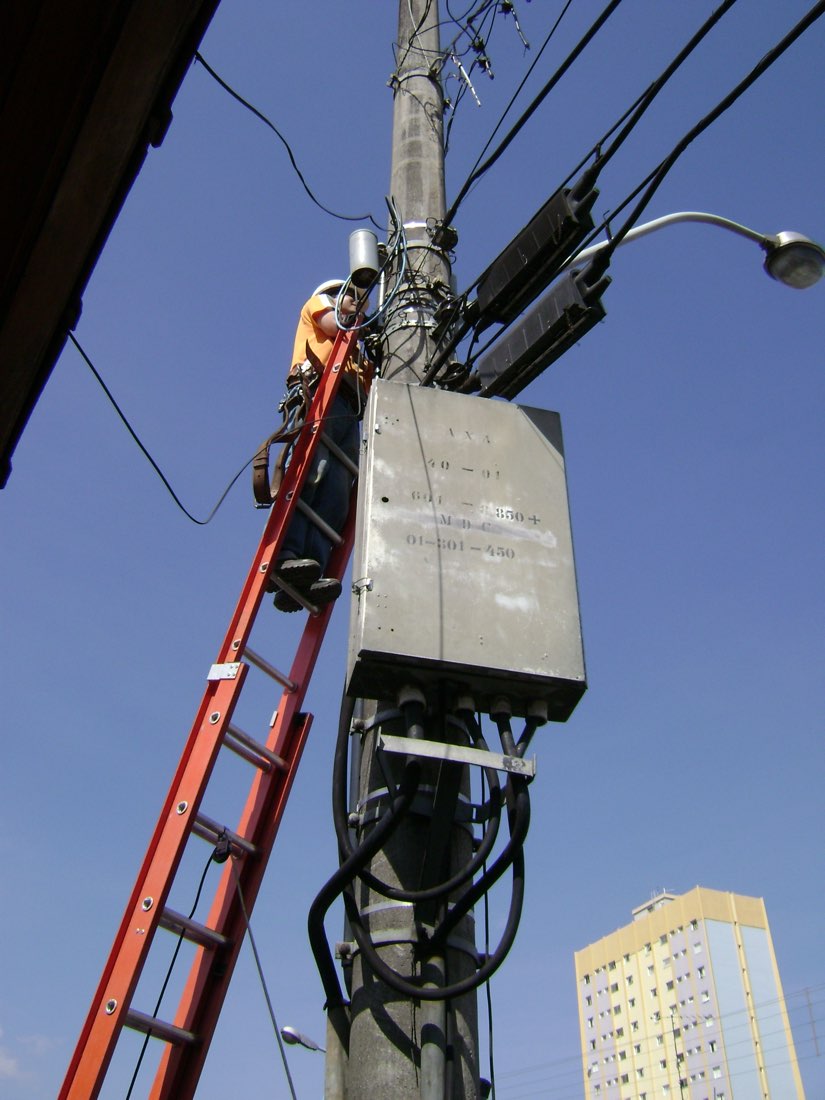
- Electrician working (in Araxá, Brazil): photo by Andrevruas, via Wikimedia Commons, licensed under CC BY 3.0. See original ↗
Comments (0)
Your comment goes through approval before it appears.
No comments yet. Be the first!
Ready to take your operation off paper?
Try Dominex free for 14 days and see work orders in your technician's pocket.
Start free for 14 days, no card